Every plan
Families can pay an invoice online
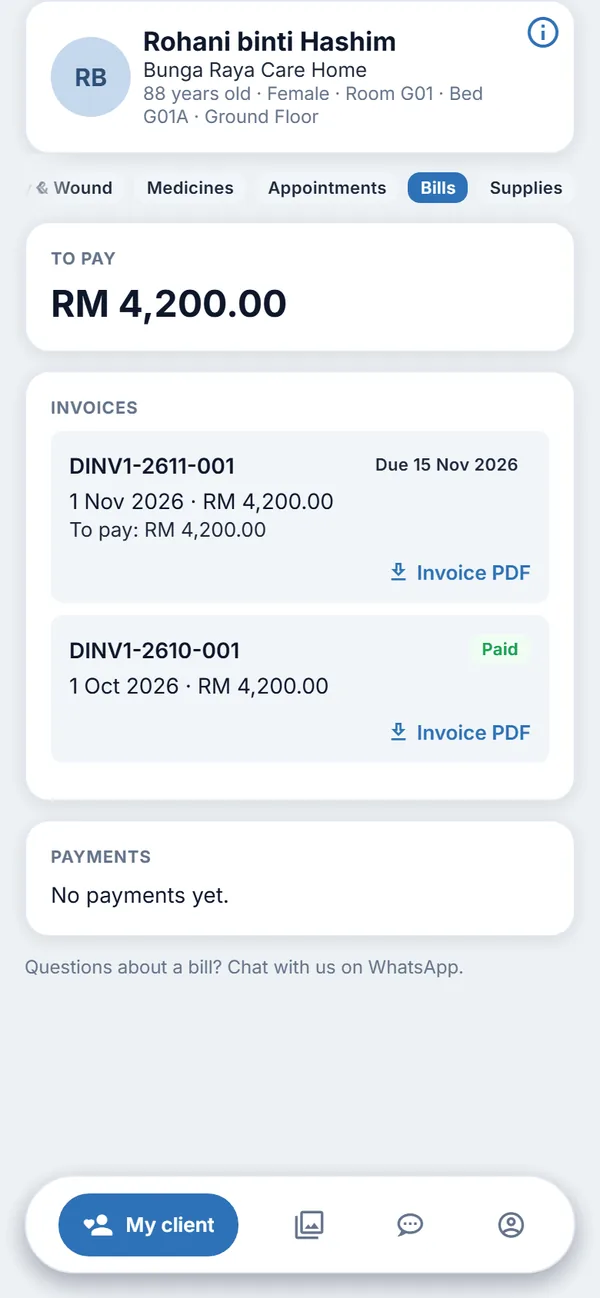
A family member sees a Pay online button on an unpaid invoice, in the family app and on the web.
The problem
Chasing payments takes time
Families transfer money, send a slip, and wait for someone to match it. The home waits too.
How it works
What Life Care Systems does
For the family
- Pay the whole balance of an invoice by card or FPX, in ringgit
- The payment page is run by a payment provider; the app never sees card details
- Only the family's own relative's invoices are shown
- If online payment is not switched on for your company, the family sees the usual message to ask the centre
For your finance team
- The payment is recorded against the invoice and into the company's bank account
- A payment that gets stuck is retried
- If you pass the card or bank fee on to the payer, the family sees it and agrees before paying
Good to know
Limits and who it is for
- Online payment is switched on company by company, once the company's payment account is ready.
- Family accounts are free and never count towards your plan limits.
See also: Family app and web, Plans and pricing, Security and privacy.
Try it with made-up data
Ask for a free 30-day test account and see it in a practice centre.