See how your family member is today

What it is for
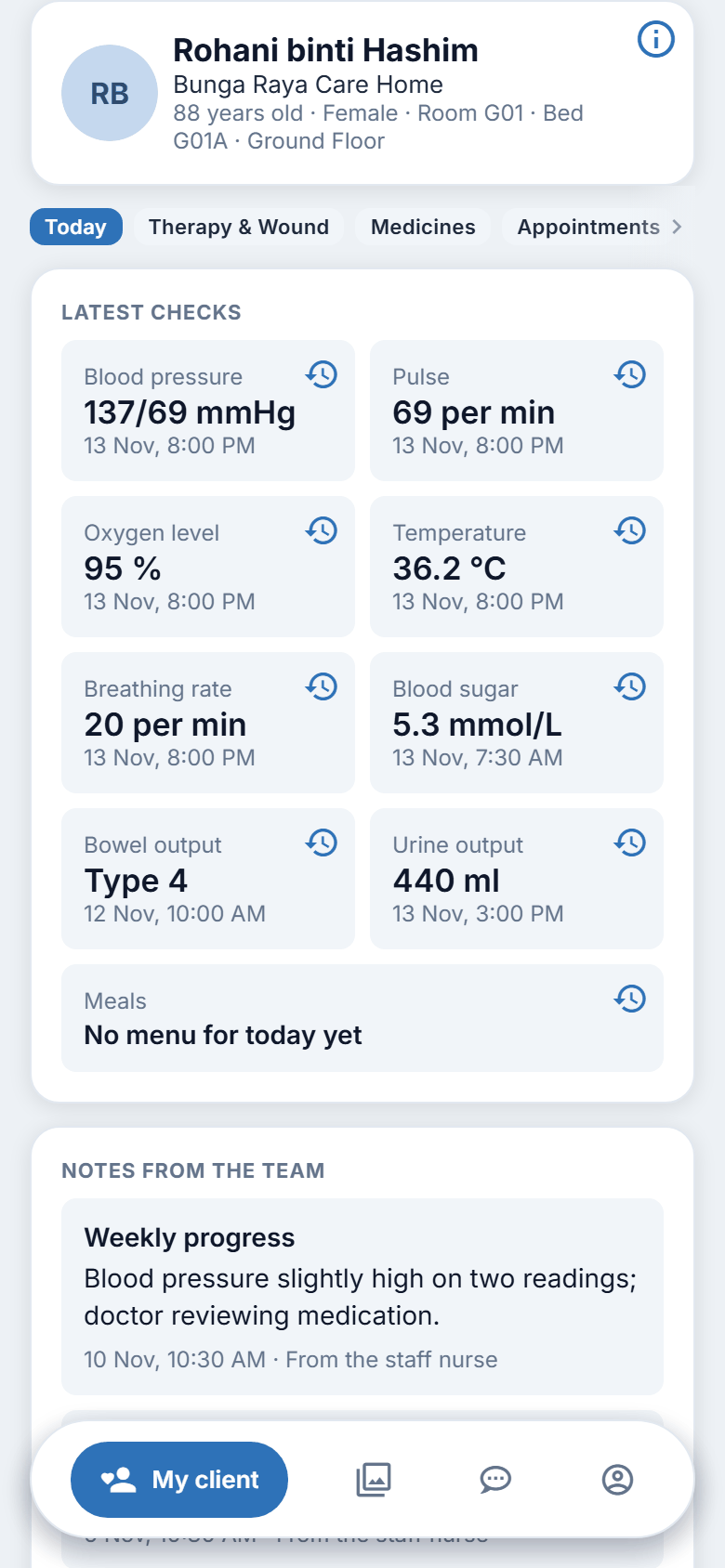
Today is the first thing you see on My client. It shows the latest health checks, today's meal, and the notes the care team has chosen to share with you. It tells you how things were at the last check. It is not live.
The latest checks
Each check is a small tile that shows the reading and when it was taken, for example "12 Nov, 7:46 AM".
The tiles you may see:
- Blood pressure
- Pulse
- Oxygen level
- Temperature
- Breathing rate
- Blood sugar
- Bowel output
- Urine output
- Meals
A tile only appears for a check the centre has recorded. The two output tiles always show: they read "None recorded yet" until there is a record. Readings are shown plainly, with no warning colours. A number that looks high or low to you is not an alarm. If you are worried about a reading, ask the centre.
Steps: look at today's checks
- Tap My client.
- Make sure Today is selected.
- Read the tiles under LATEST CHECKS.
Steps: look back at earlier readings
- On a tile, tap the small clock icon at the top right.
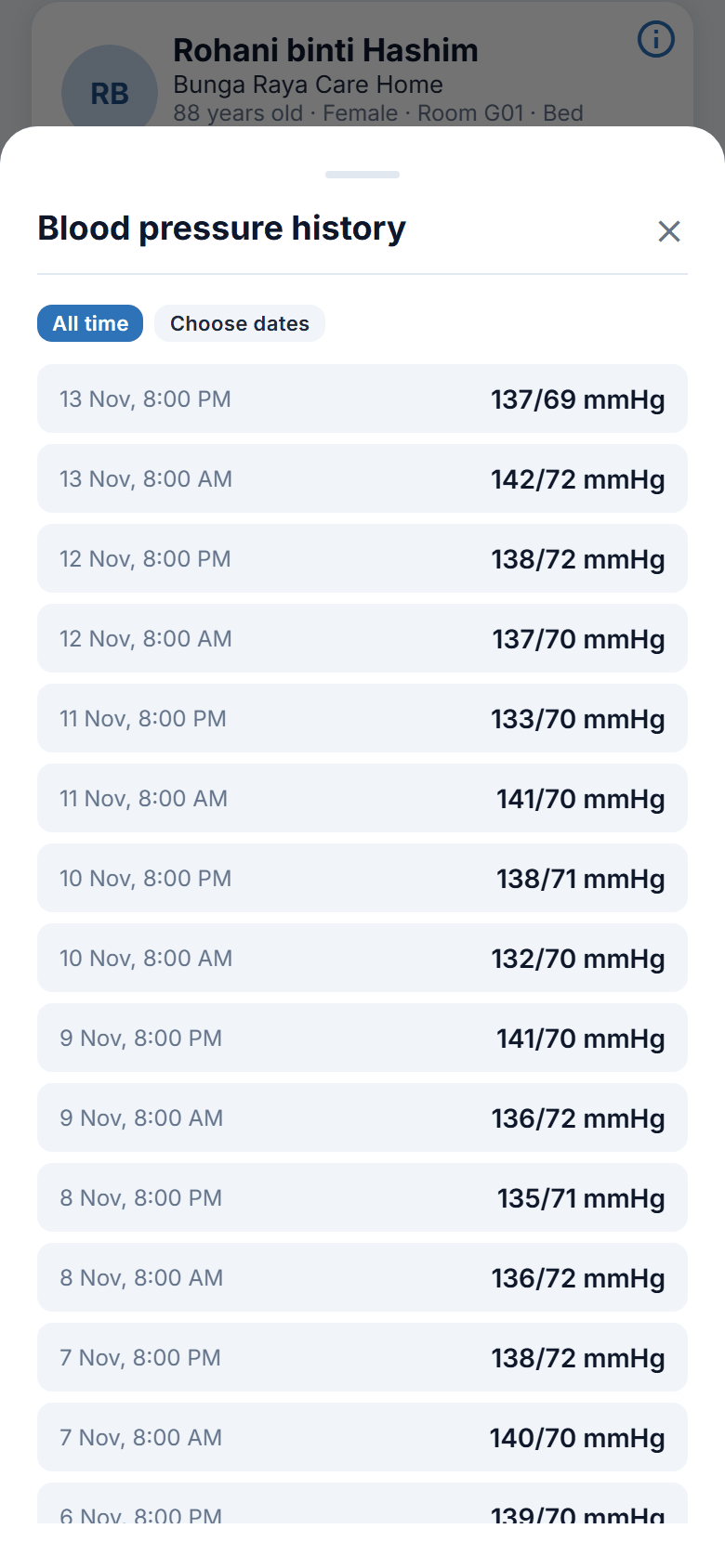
- A sheet opens, "Blood pressure history" for example, listing earlier readings, newest first.
- To narrow the list, tap Choose dates, pick a start date and an end date, then tap Show. Tap All time to go back to everything.
- Tap Show more at the bottom for older readings.
- Close the sheet when you have finished.
The end date cannot be in the future, and the start date cannot be after the end date.
The history lists every reading the centre has recorded for that check, whether it was taken on its own or together with others at one visit. A reading that falls outside the limits the centre's own apps accept is not shown to families.
Meals
The Meals tile shows today's meal for your family member. If no menu has been entered yet it says "No menu for today yet". If the centre's meal records cannot be reached it says "Not available".
Tap the clock icon on the Meals tile to see earlier days. Where the centre has recorded a photo of a meal, you can see it there.
Notes from the team
Under NOTES FROM THE TEAM the centre may share short notes about your family member. Each note shows when it was written and the role it came from, for example "From the nurse". You see only the notes the centre chose to share. You do not see all of the care records.
If there are more notes, tap Show more to read the next ones.
Photos
Photos and videos shared by the centre appear here too. See chapter 5.
Steps in short
Figure 4.1. Reading Today.
On the website
Same page, same tiles and the same clock icon. The Today button is at the top of the page. Notes and photos each have a Show more button.
Good to know
- Readings are entered by staff after a check. They can be some hours old.
- If a tile is missing, the check has not been recorded yet.
- You cannot add or change a reading.