Chapter 6
Follow therapy and wound care

What it is for
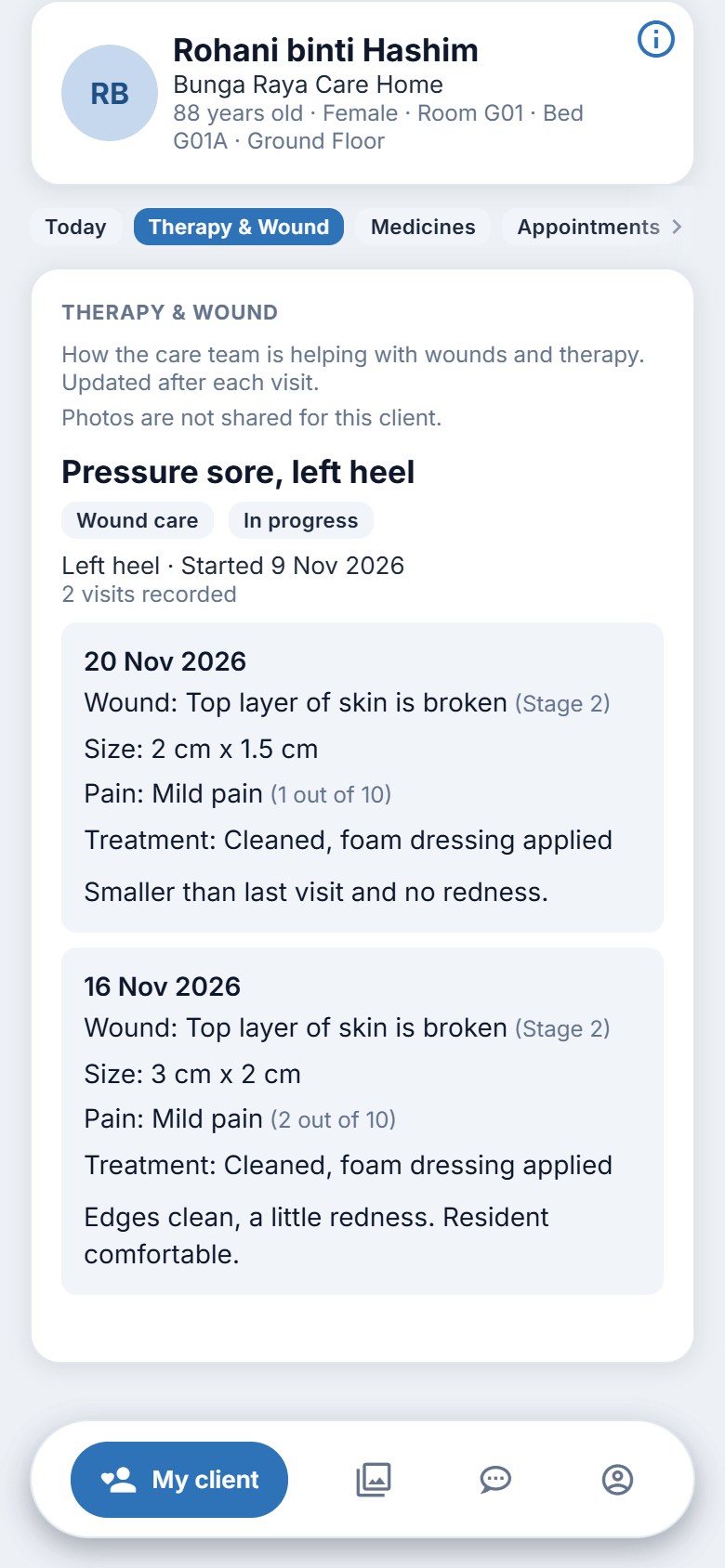
If your family member has a wound being treated, or is having therapy, the care team records each visit. This section shows you how that is going, in plain words. It says "How the care team is helping with wounds and therapy. Updated after each visit."
Steps
- Tap My client.
- Tap Therapy & Wound.
- Each item has a title, a label for its type and a status chip. A chip may read, for example, "Healed" or "Completed" when it is finished.
- Under the title you may see where on the body it is (for wounds) and the date it started and finished.
- Beneath that are the recorded visits, newest first. Each visit lists what was done and found.
- Tap Show earlier visits to read older visits of the same item.
- If there are more items than shown, tap Show more at the bottom.
- Tap a photo to see it larger. A video opens in the phone's player.
When photos are not shown
Photos appear only if the client has agreed to photos being shared. If not, the page says "Photos are not shared for this client." The written entries still show.
When there is nothing to show
"Nothing to show yet." means no wound or therapy has been recorded.
What you do not see
The care team's clinical notes and the care plan are not in this section. The care plan itself, in the plain form the centre has chosen to share, is in the client's profile (chapter 13).
Figure 6.1. Following a wound or therapy.
On the website
Same section, same labels, same buttons.
Good to know
- The notes are updated after each visit. They may be a day or more behind.
- If you have a worry about a wound, such as it looking worse, phone the centre. See chapter 16.