Read your family member's profile
What it is for
The profile gathers what the centre has on record about your family member in one place: who they are, where they stay, their health background, their care plan, their meals, who the family contacts are, and what belongings are at the centre. It is read only. If something is wrong or out of date, tell the centre.
Steps (phone)
Two ways in:
- On My client, tap the small i at the top right of the name card.
- Or tap the Profile tab, then Client profile. If you look after more than one person, choose whose.
Then scroll down. The page is made of cards. You only see a card when the centre has filled it in:
| Card | What it shows |
|---|---|
| ABOUT | Personal details the centre holds |
| STAY AND PROGRAMMES | Where they stay and the programmes they are on |
| HEALTH BACKGROUND | A summary of their health background |
| CARE PLAN | For each area of care: the diagnosis, the care instructions, and the next review date |
| MEALS | Dietary details |
| FAMILY CONTACTS | The family contacts on record, with phone numbers you can tap to call |
| BELONGINGS AT THE CENTRE | Items of theirs the centre has listed |
Tap a phone number to call. Pull down to refresh. Tap the back arrow to go back.
If the centre has not filled it in yet, the page says "Nothing to show yet. The centre has not filled in this profile yet."
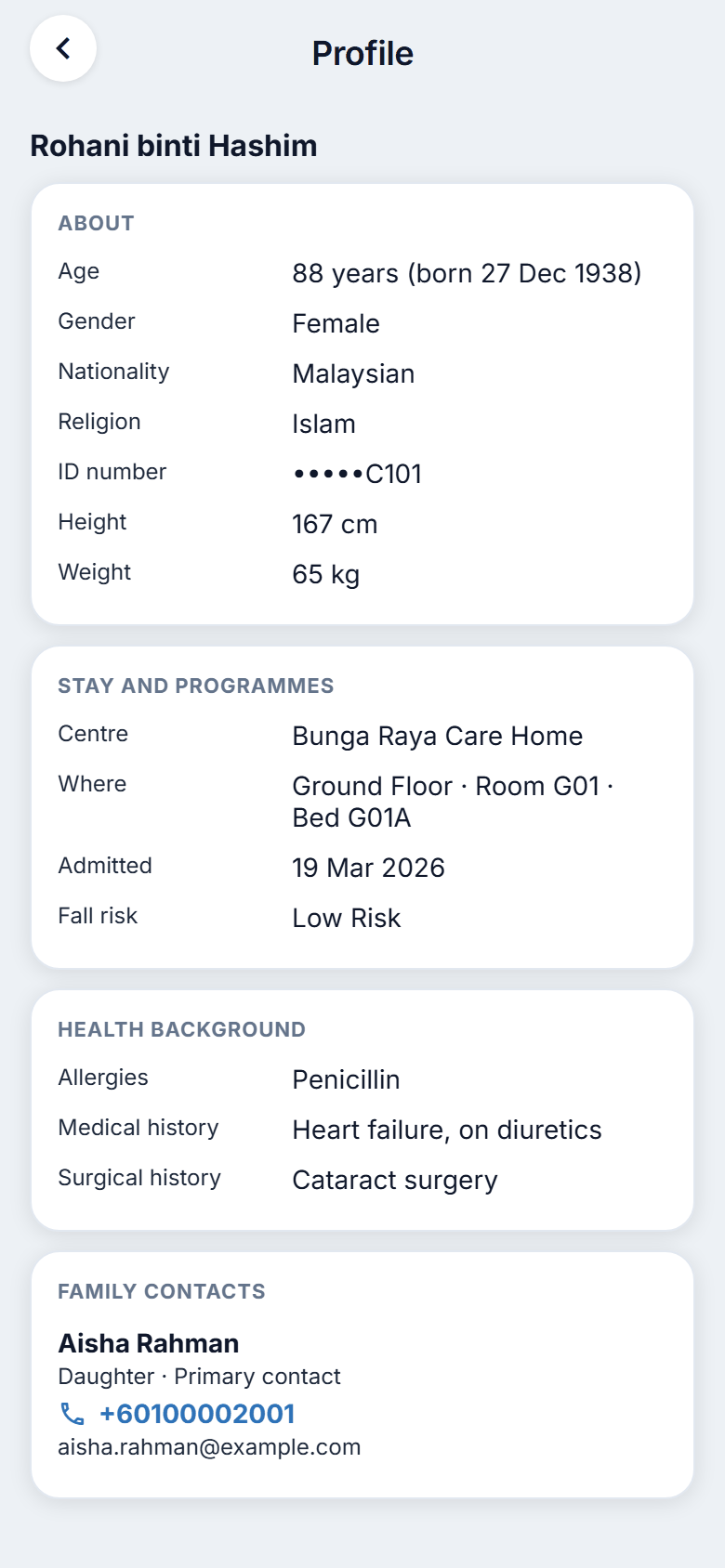
Figure 13.1. Opening the profile.
On the website
Select the small i at the top right of the name card on My client. The profile opens at its own page, with a back arrow to return.
What the profile does not show
It leaves out the care team's clinical notes, money matters, and the names of staff. This is so that the profile is safe to read at home.
Good to know
- The family contacts card can show other relatives' phone numbers. Treat it as private. See chapter 15.
- To correct a contact number, a belonging, or any detail, tell the centre. You cannot edit the profile.