Staff rostering and payroll for care homes
One place for who is working, who is on leave, what they are owed and which training is due.
AI in this module: an HR assistant prepares HR work for a person to approve. How the assistants work.
Shifts, leave and pay are tracked in too many places
When the roster is in one file, attendance on paper and leave in a message thread, month-end payroll means collecting and rechecking everything. Here the roster, attendance and leave feed the same records.
What every staff member can do on their phone
Roster
Own shifts, swaps and off-day requests.
Attendance
Clock in and out with location, and see past attendance.
Leave
Apply for leave and see the balance. When leave is approved it is taken off the roster for you.
Claims
Submit expense claims.
Payslips
See released payslips.
Documents
Upload the documents HR needs.
Learning
Courses, mandatory training and certificates.
Approve, run payroll and keep records
Approvals
- Team attendance, leave and claims for the centre
- Roster changes and shift set-up
- Training sign-offs
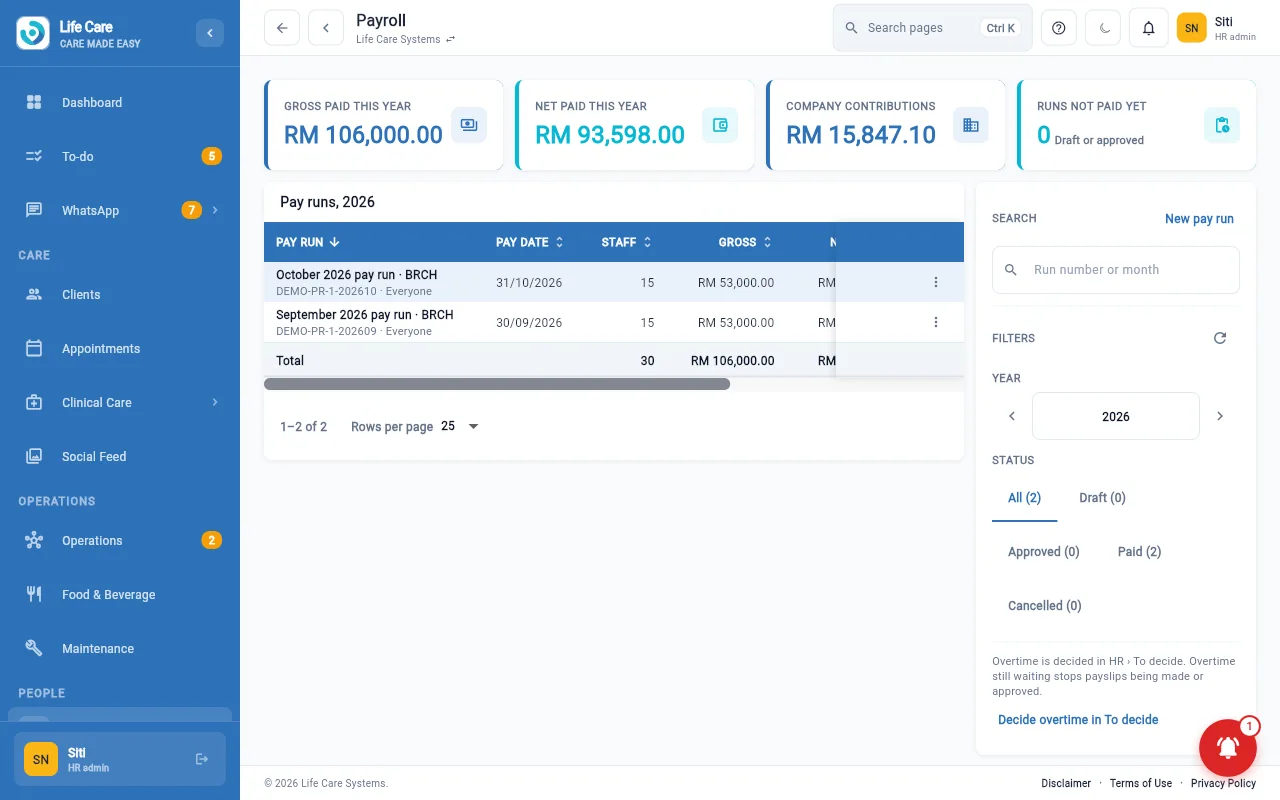
Payroll
- Pay runs and payslips
- Payroll summary and statutory reports (EPF, SOCSO, tax)
- EA forms, public holidays and staff fees
HR records
- Staff records, documents and letters
- Permits and expiry dates
- Vacancies and hiring
- Headcount and attendance reports
Training administration
- Create courses, topics and lessons
- Compliance view and question bank
Pay figures are visible only to the people your plan and roles allow.
AI assistant: the HR desk has an assistant that drafts and prepares work. A person reviews and approves it; it does not act alone.
Rosters connect to client care (who is on which ward), and payroll connects to accounting.