Billing and accounting software for care homes
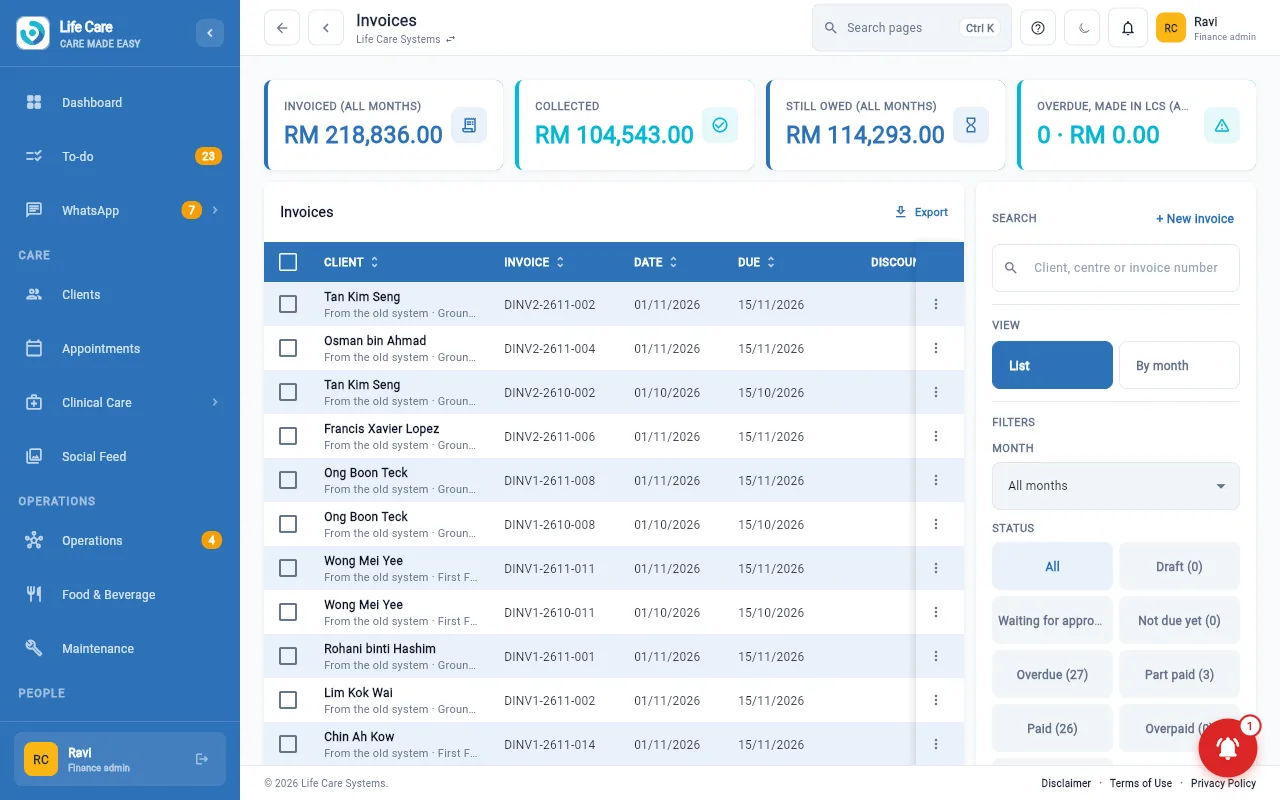
Bill clients and families, pay suppliers and close the month, from the same records your care team already keeps.
AI in this module: bank statements and emailed bills are read into drafts for finance to confirm, and a finance assistant prepares work for approval. How the assistants work.
Billing is retyped from care records into another system
When billing sits apart from care, someone retypes charges and chases approvals. Here a charge raised on the ward waits for approval, then goes on the invoice.
From charge to receipt
Invoices and charges
- Generate and email invoices
- Add-on charges raised by care staff, approved by the finance team
- Billing approvals for each centre
Money in
- Receipts, deposits, credit notes and debit notes
- Client statements
- Aged debtors and payment reminders
Money out
- Supplier bills and what is due
- Payment batches and supplier payments
- Staff claims and supplier refunds
Receipts on the go
- Snap and check spend receipts on the phone
For the finance team
Ledger and statements
- Journals, accounts, trial balance and general ledger
- Financial statements and group statements
- Fixed assets and month-end checklist
Tax
- SST workings and withholding tax
- Tax calendar and year end
Bank and companies
- Bank statement matching
- Petty cash and credit cards
- Several companies, with charges between them
Centre profit and loss
- A one-page view for each centre manager
Life Care Systems prepares your figures. It does not replace your accountant or tax agent, who remain responsible for what is filed.
AI assistant: the finance desk has an assistant that drafts and prepares work. A person reviews and approves it; it does not act alone.
Billing draws on client care and operations; payroll posts to accounting through staff and payroll. Families see their own bills in the family app.