How to Run a Useful 7-Day Trial of Care Home Software
A free trial is only useful if you use it on purpose. It is easy to sign in once, click around, get busy, and let the days run out without learning anything. A short plan fixes that. This guide gives you a day-by-day routine for a 7-day trial, who to involve, and how to decide at the end. It works for any care home software; where we mention Life Care Systems it is because that is what we can speak about with certainty.
Before you start: write down what you are testing
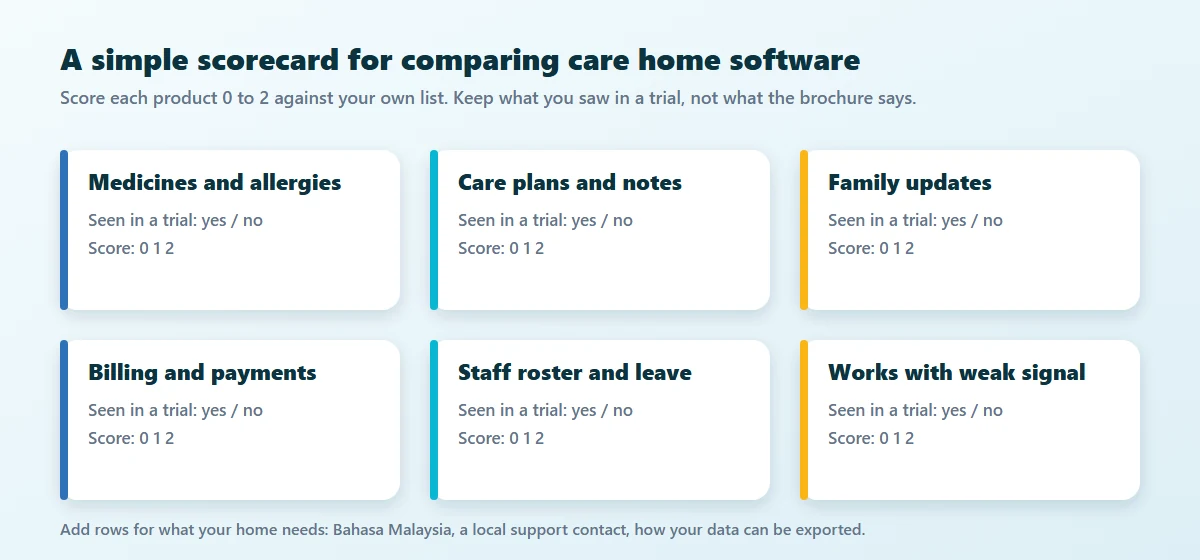
List the five or six things the software must do for your home. Typical entries: medicines and allergies, care plans and notes, family updates, billing and payments, staff roster and leave, and working with a weak signal. Give each a score of 0, 1 or 2 as you test it. This one page is what you will decide from.
Who should be in the trial
- A manager or administrator, who sees the whole home
- A nurse or caregiver, who will use it on a phone every shift
- Someone from finance or HR, if you want the billing and roster tested
- One person who is not keen on computers. If they can use it, most people can
Day by day
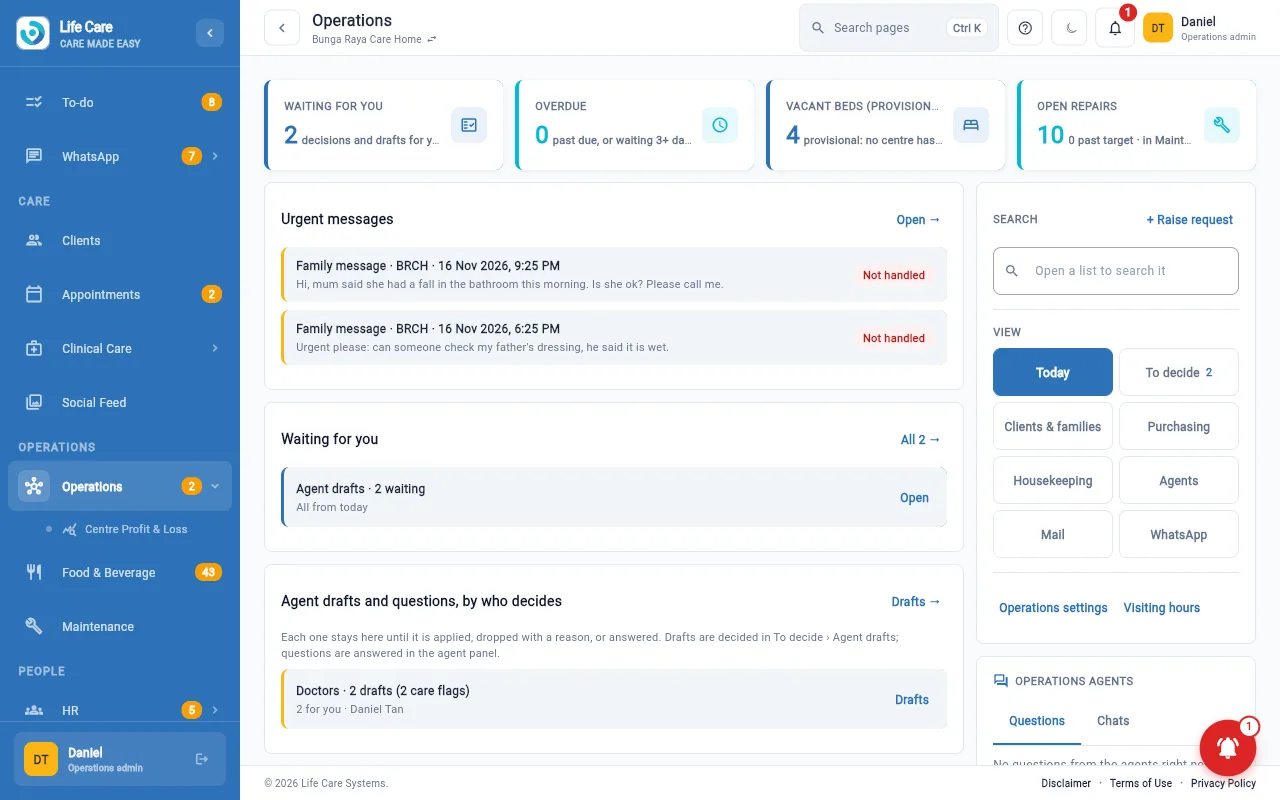
Seven days is short, so put the two longest jobs, a medication round and a roster, in the diary on day one.
Days 1 and 2: learn the screens
Sign in on the web and on a phone. Look at a client, a care plan and a medication round. Do not try to judge the system yet; just learn where things are.
Days 3 and 4: run a normal day
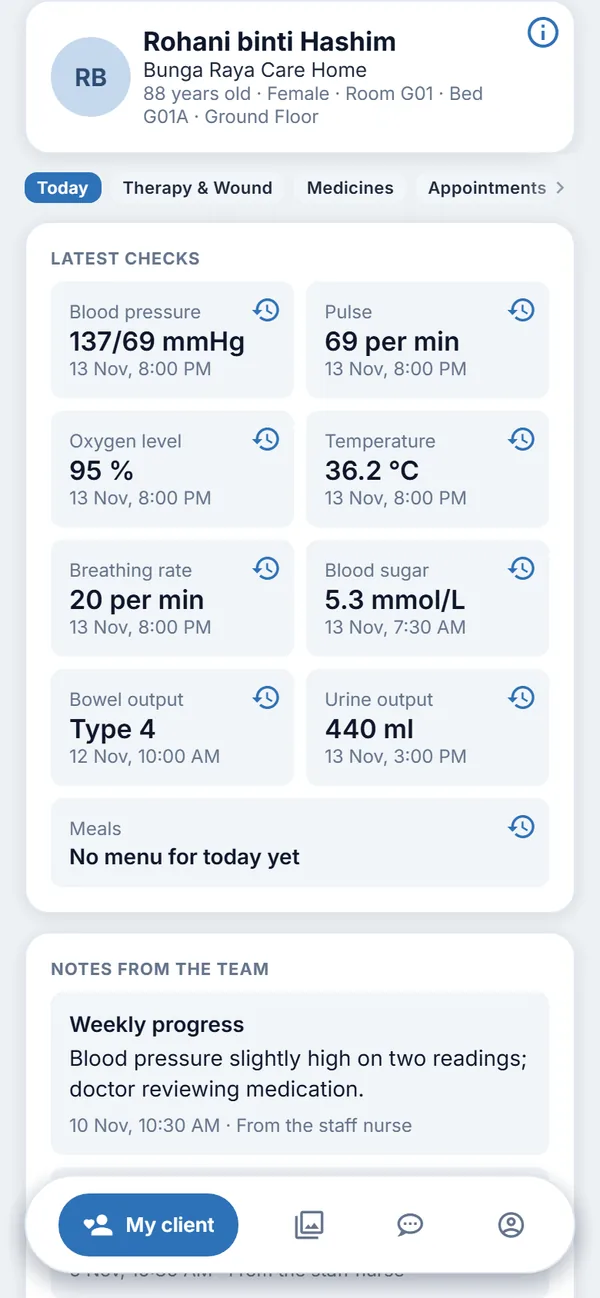
Walk through a morning shift and a handover on the phone with two staff members. Record vital signs and a note, run a medication round, and see what a family member would see.
Days 5 and 6: test the money side and the staff side
Raise an invoice, look at a family bill, and try the roster and leave. If several people approve things in your home, test the approval step too.
Day 7: decide
Score the system against your list. Ask the questions you saved up. Choose a plan, or let the trial end.
Use made-up data
It is tempting to type in your real clients to see how it looks. Please do not. Real records belong in a paid account. A free test account on Life Care Systems is a practice centre filled with made-up clients, staff and families, a watermark with your account's name shows on the screens, and exports, downloads and printing are switched off during the test. Other vendors have their own rules, so ask.
Questions to ask during the trial
- What happens to my data if I stop? Can I take it with me?
- Who do I call when something does not work, and in which language?
- What does it cost after the trial, including setup, and what is excluded?
- What does it do when the signal is weak?
- Who at the vendor can see my home's records?
When the 7 days end
With Life Care Systems you pick a plan before the 7 days end and what you entered carries on. If you do nothing, the test ends and its data is cleared. See the plans or read what each person will use in the manuals and help.
Key takeaways
- Write your own scorecard before you sign in
- Involve a manager, a caregiver and someone from finance
- Follow a day-by-day plan instead of clicking around
- Use made-up data and keep real records for a paid account
- Decide on what you saw, not on what you were told
Start your trial
Ask for a free 7-day test account. We approve each request, and no payment details are needed.